
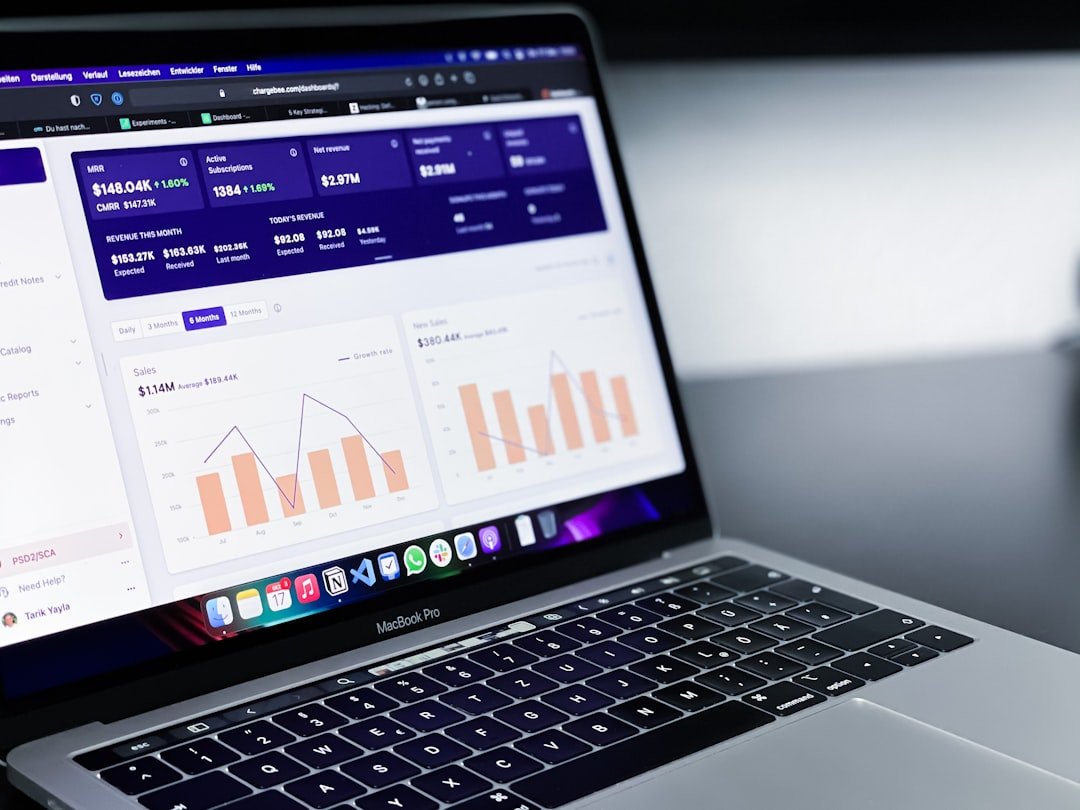
In the rapidly evolving mobile application industry, analytics has become essential for successful app development. The ability to collect, analyze, and interpret data enables developers to make informed decisions that improve user experience and increase engagement. Analytics reveals how users interact with applications, identifying patterns and preferences that may not be immediately obvious.
This data-driven approach allows developers to customize their products to better meet user needs, resulting in improved retention rates and higher revenue. Additionally, analytics is critical for recognizing market trends and understanding user behavior patterns over time. By using analytics tools, developers can measure their app’s performance against competitors and industry standards.
This competitive analysis is valuable for making strategic decisions regarding feature development, marketing approaches, and user acquisition strategies. Analytics effectively converts raw data into practical insights, enabling developers to adjust their strategies quickly and maintain their app’s competitiveness and relevance in the market.
Choosing the Right Analytics Tools for Your App
Selecting the appropriate analytics tools is a critical step in the app development process. The market is saturated with various analytics platforms, each offering unique features and capabilities. When choosing an analytics tool, developers must consider factors such as ease of integration, scalability, and the specific metrics they wish to track.
For instance, Google Analytics for Firebase is a popular choice for mobile apps due to its robust features and seamless integration with other Google services. It provides comprehensive insights into user engagement, retention, and conversion rates, making it an excellent option for developers looking to gain a holistic view of their app’s performance. Another noteworthy tool is Mixpanel, which focuses on event-based tracking rather than page views.
This allows developers to understand user interactions at a granular level, providing insights into how users navigate through the app. Additionally, tools like Amplitude offer advanced cohort analysis capabilities, enabling developers to segment users based on behavior and tailor their marketing efforts accordingly. Ultimately, the right analytics tool should align with the app’s goals and provide actionable insights that can drive improvements in user experience and overall performance.
Identifying Key Metrics to Track in Your App

Once the appropriate analytics tools are in place, the next step is to identify the key metrics that will provide valuable insights into app performance. These metrics can vary depending on the app’s purpose and target audience but generally fall into several categories: acquisition, engagement, retention, and conversion. Acquisition metrics help developers understand how users discover and download the app.
This includes tracking sources of traffic, such as organic search, social media referrals, or paid advertising campaigns. Engagement metrics are equally important as they reveal how users interact with the app once it is installed. Metrics such as daily active users (DAU), session length, and screen views per session provide insights into user behavior and preferences.
Retention metrics indicate how well the app keeps users coming back over time; for example, measuring the percentage of users who return after one week or one month can highlight potential issues with user satisfaction or app functionality. Finally, conversion metrics track specific actions that lead to business goals, such as in-app purchases or sign-ups for premium features. By focusing on these key metrics, developers can gain a comprehensive understanding of their app’s performance and identify areas for improvement.
Analyzing User Behavior to Uncover Weak Points
Analyzing user behavior is essential for uncovering weak points within an app. By examining how users navigate through the app, developers can identify friction points that may lead to drop-offs or dissatisfaction. For instance, if analytics reveal that a significant number of users abandon their shopping carts at a particular stage in the checkout process, it may indicate that the process is too complicated or that there are unexpected costs involved.
Understanding these behaviors allows developers to make targeted improvements that enhance user experience. Additionally, heatmaps can be a powerful tool for visualizing user interactions within an app. By tracking where users tap, scroll, or linger on a screen, developers can gain insights into which features are most engaging and which may be overlooked.
This information can inform design decisions and help prioritize feature enhancements based on actual user behavior rather than assumptions. Furthermore, conducting user interviews or surveys in conjunction with analytics data can provide qualitative insights that deepen understanding of user motivations and pain points.
Utilizing A/B Testing to Improve App Performance
| Metric | Description | Purpose | Example Value |
|---|---|---|---|
| Crash Rate | Percentage of app sessions that end due to a crash | Identify stability issues causing app failures | 2.3% |
| Session Duration | Average length of time users spend in the app per session | Measure user engagement and identify drop-off points | 5 minutes 12 seconds |
| Screen Load Time | Time taken for a screen or page to fully load | Detect performance bottlenecks affecting user experience | 3.8 seconds |
| Conversion Rate | Percentage of users completing a desired action (e.g., purchase, sign-up) | Evaluate effectiveness of app flows and identify friction points | 12.5% |
| Bounce Rate | Percentage of users who leave the app after viewing only one screen | Spot weak entry points or confusing navigation | 45% |
| User Retention Rate | Percentage of users returning to the app after their first visit | Assess long-term app value and user satisfaction | 30-day retention: 28% |
| Error Rate | Frequency of errors encountered by users during app usage | Identify problematic features or bugs | 1.7 errors per 100 sessions |
| Feature Usage | Percentage of users engaging with specific app features | Determine which features are underutilized or confusing | Chat feature: 35% |
A/B testing is a powerful method for optimizing app performance based on data-driven insights. This technique involves creating two or more variations of a specific element within the app—such as a button color, layout design, or call-to-action text—and then measuring user responses to each variation. By randomly assigning users to different groups and analyzing their interactions with each version, developers can determine which option yields better results in terms of engagement or conversion rates.
For example, if a developer wants to test whether changing the color of a “Buy Now” button from blue to green will increase click-through rates, they can set up an A/B test to compare user interactions with both versions. The results may reveal that the green button significantly outperforms the blue one in terms of clicks and conversions. This evidence-based approach allows developers to make informed decisions about design changes rather than relying on intuition alone.
A/B testing not only enhances user experience but also fosters a culture of experimentation within development teams.
Implementing Changes Based on Analytics Insights
Once valuable insights have been gathered through analytics and A/B testing, the next step is implementing changes that can enhance app performance. This process requires careful planning and execution to ensure that modifications align with user needs and business objectives. For instance, if analytics indicate that users are struggling with a particular feature due to its complexity, developers may choose to simplify the interface or provide additional guidance through tooltips or tutorials.
Moreover, it is essential to prioritize changes based on their potential impact on key metrics. Developers should focus on high-impact areas first—those that are likely to yield significant improvements in user engagement or retention rates. Additionally, involving cross-functional teams in the decision-making process can lead to more comprehensive solutions.
For example, collaborating with marketing teams can help ensure that any changes made are effectively communicated to users through targeted messaging or promotional campaigns.
Monitoring the Impact of Changes on App Performance
After implementing changes based on analytics insights, continuous monitoring is crucial to assess their impact on app performance. This involves tracking key metrics before and after changes are made to determine whether the desired outcomes have been achieved. For instance, if a new onboarding process was introduced to improve user retention rates, developers should closely monitor metrics such as DAU and retention rates over time to evaluate its effectiveness.
Additionally, it is important to remain vigilant for any unintended consequences that may arise from changes made within the app. Sometimes improvements in one area can inadvertently lead to declines in another; for example, simplifying a feature may enhance usability but could also reduce functionality for power users. By maintaining an ongoing dialogue with users through feedback mechanisms—such as surveys or in-app prompts—developers can gain insights into how changes are perceived and whether further adjustments are necessary.
Continuously Iterating and Improving Your App Based on Analytics Data
The journey of app development does not end with initial launch; it is an ongoing process of iteration and improvement driven by analytics data. Continuous iteration allows developers to stay responsive to changing user needs and market dynamics. By regularly reviewing analytics data and user feedback, developers can identify new opportunities for enhancement or innovation within their app.
For instance, if analytics reveal a growing trend in user interest towards specific features—such as social sharing capabilities—developers may choose to invest resources into expanding those functionalities further. Additionally, keeping abreast of industry trends and technological advancements can inform future iterations of the app. Embracing a mindset of continuous improvement fosters resilience in an ever-changing digital landscape and ensures that the app remains competitive and relevant over time.
In conclusion, leveraging analytics throughout the app development lifecycle is essential for creating successful applications that resonate with users. From understanding the importance of data-driven decision-making to continuously iterating based on insights gained from analytics tools, each step plays a vital role in enhancing user experience and driving business success. By embracing this analytical approach, developers can navigate challenges effectively while maximizing opportunities for growth and innovation within their apps.
FAQs
What is app analytics?
App analytics refers to the collection and analysis of data generated by users interacting with a mobile or web application. This data helps developers understand user behavior, app performance, and areas that need improvement.
Why is it important to identify weak points in an app?
Identifying weak points in an app is crucial for improving user experience, increasing retention rates, reducing crashes or errors, and ultimately enhancing the app’s overall performance and success.
What types of data are typically analyzed to find weak points in an app?
Common data types include user engagement metrics, crash reports, load times, user flow patterns, feature usage statistics, and feedback or reviews from users.
How can analytics help improve app performance?
Analytics can pinpoint slow-loading screens, frequent crash points, underused features, and user drop-off locations, enabling developers to prioritize fixes and enhancements that directly impact app stability and usability.
What tools are commonly used for app analytics?
Popular app analytics tools include Google Analytics for Firebase, Mixpanel, Flurry, App Annie, and Amplitude, among others. These tools provide dashboards and reports to track various performance and user behavior metrics.
Can analytics help in understanding user behavior within the app?
Yes, analytics can reveal how users navigate through the app, which features they use most, where they spend the most time, and where they encounter difficulties, helping developers tailor the app to user needs.
How often should app analytics be reviewed?
App analytics should be reviewed regularly, often in real-time or daily, especially after updates or new feature releases, to quickly identify and address any emerging issues.
Is user privacy a concern when using app analytics?
Yes, user privacy is important. Developers must ensure compliance with data protection regulations like GDPR and CCPA by anonymizing data, obtaining user consent, and being transparent about data collection practices.
Can analytics predict future app issues?
While analytics primarily focus on current and past data, advanced analytics and machine learning models can sometimes predict potential issues by identifying patterns and trends before they become critical problems.
What is the first step in using analytics to identify weak points in an app?
The first step is to define clear goals and key performance indicators (KPIs) for the app, then implement appropriate analytics tools to collect relevant data aligned with those objectives.